What’s New with Copilot
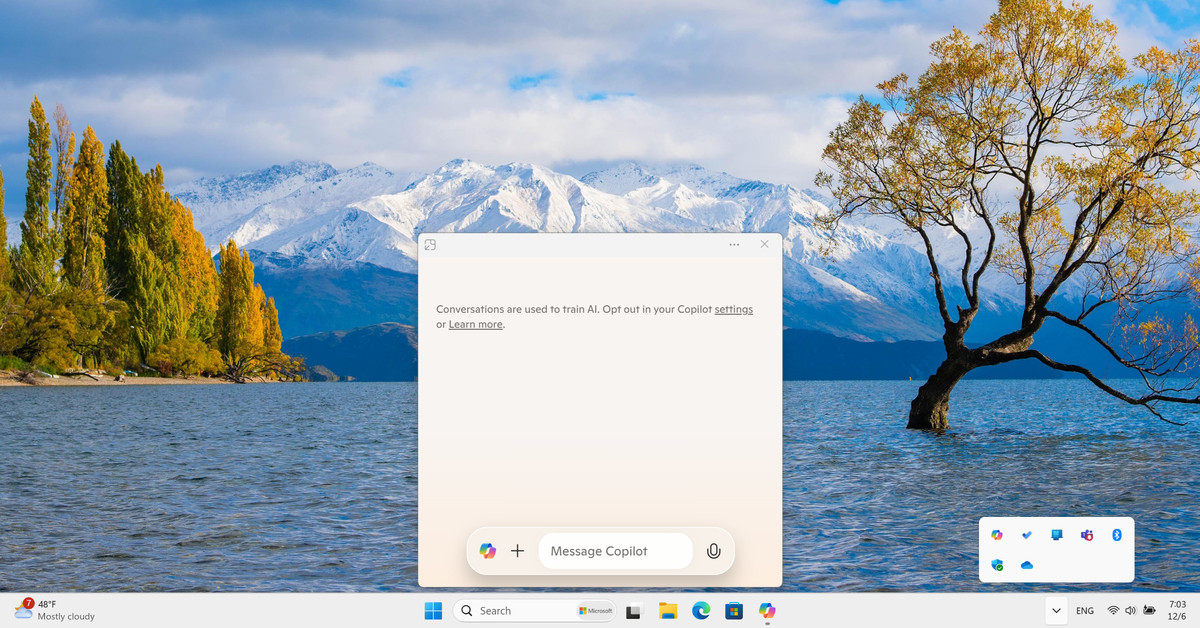
Microsoft is updating its Copilot feature for Windows users once again. After initially demoting Copilot to a Progressive Web App (PWA), the company is now introducing a native experience. This new version includes a quick view interface that floats above the taskbar and can be accessed through a newly assigned keyboard shortcut. The changes aim to enhance user interaction with Copilot, making it more accessible and integrated into the Windows environment.
Key Features of the Update
- The Copilot quick view can be activated using the Alt + Space keyboard shortcut or through the system tray.
- This interface remains on top of other applications until dismissed, offering easy access to Copilot’s features.
- There are potential conflicts with other applications that also use the Alt + Space shortcut, which could complicate usability.
- The update will be available for both Windows 10 and Windows 11 users, despite ongoing discussions about Windows 10’s support timeline.
Importance of the Update
These changes reflect Microsoft’s commitment to improving user experience with Copilot. By introducing a native app and a quick view feature, Microsoft aims to streamline interactions and make Copilot a more integral part of the Windows operating system. This move also highlights the company’s flexibility in adapting to user needs and feedback. As technology evolves, ensuring that tools like Copilot are user-friendly is crucial for maintaining relevance in a competitive market.